

Bring cheque capture, verification and deposit into one clear workflow
Polar Imaging supplies and supports Contact Innovations’ ImageArchive cheque software for organizations that process incoming cheques. We help assess the capture task, scanner, verification steps and bank or processor requirements before recommending a configuration.
Manage cheque images and related payment information
Cheque processing can involve more than scanning. Staff may need to review image quality and MICR information, verify details, balance batches, retrieve records and prepare items for electronic deposit.
Contact Innovations’ ImageArchive products support cheque and remittance workflows. The exact capabilities depend on the selected product, modules, scanner, bank or processor connection and licensing. Polar Imaging works with your team to define those requirements and confirm the proposed scope.
Choose the software around the work you need to manage
IA Check, IA Exchange and IA Remittance have distinct roles. Modules, bank or processor support and licensing are confirmed during solution scoping.
IA Check
Cheque imaging software for capturing, reviewing, balancing, storing and retrieving cheque records. Depending on configuration, the workflow can include image quality review and MICR data verification.
IA Exchange
An optional capability for preparing electronic cheque deposit files. Contact Innovations describes Canadian Image Cash Letter support. Confirm that the required bank or processor accepts the proposed format and connection.
IA Remittance
Software for processing cheque and remittance documents together, with recognition, verification, archiving and data extraction options. Confirm which document types and output systems are in scope.
See a paper-based donation workflow in action
This short video demonstrates a donation-processing use case. It provides context for cheque and remittance workflows; the right products, inputs and outputs for your organization should be confirmed during discovery.
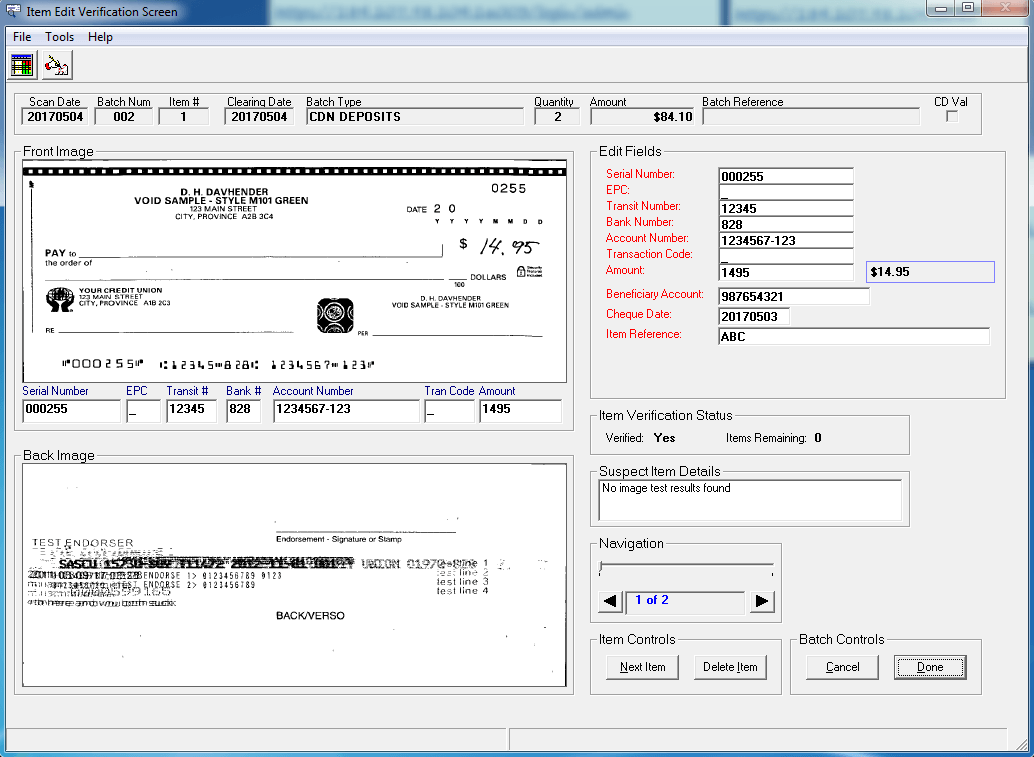
Review cheque images alongside captured details
In a cheque-processing workflow, staff may need to inspect the image and verify captured information before a batch moves forward. This example shows an item verification screen with front and back cheque images beside review fields.
The displayed cheque and field values are sample data.
Map the cheque workflow before configuring the software
The setup starts with the cheque and remittance volumes, current handling steps, scanner, users and destination. Polar Imaging confirms the agreed products and support scope before implementation.
Understand the payment process
Identify cheque types, daily or monthly volumes, remittance documents, users and the steps after capture.
Confirm scanner and exchange needs
Review cheque scanner models, drivers, endorsement needs, bank or processor requirements and file format acceptance.
Scope products and configuration
Select the appropriate ImageArchive products and any separately licensed modules, integrations or deposit functions.
Configure, test and support
Configure the agreed setup, test representative items and support rollout within the confirmed scope.
Cheque imaging or remittance processing?
The right starting point depends on whether you process cheque images alone or need to connect cheques with remittance information and downstream posting.
Cheque imaging and deposit
Consider IA Check with IA Exchange where your organization needs to scan, verify, balance and retrieve cheques, with an electronic deposit workflow that is confirmed for your bank or processor.
- Review cheque volume and scanner needs
- Confirm Canadian file format and financial institution acceptance
- Scope licensing, configuration and support
Cheque and remittance processing
Consider IA Remittance when cheques arrive with stubs or other payment documents and staff need to capture, verify and prepare information for a business system.
- Review cheque, stub and document types
- Define verification and exception steps
- Confirm output and integration requirements
Check scanner, bank and processor compatibility
Cheque imaging depends on the scanner, drivers, MICR capture, endorsement requirements and the bank or processor that receives the electronic deposit. Polar Imaging reviews these details with your team and confirms product compatibility, licensing and support scope before implementation.
Cheque imaging software FAQs
What is the difference between IA Check and IA Exchange?
IA Check supports cheque imaging and related processing tasks. IA Exchange is a separate capability for preparing electronic deposit files. Confirm bank or processor requirements and product licensing before selecting a configuration.
Can the software prepare deposits for a Canadian bank?
Contact Innovations describes IA Exchange as supporting Canadian Image Cash Letter formats. Acceptance depends on the receiving bank or processor and the required configuration, so these details should be confirmed for your organization before implementation.
Can IA Remittance process cheque stubs or other payment documents?
IA Remittance is designed for cheque and remittance processing workflows. Document types, recognition functions and output requirements depend on the selected setup and should be confirmed during discovery.
Will the software work with our cheque scanner?
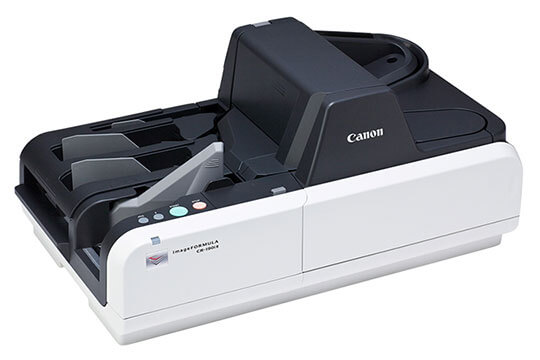
Compatibility depends on the scanner model, drivers, workstation environment and intended workflow. Share those details with Polar Imaging so they can be reviewed before purchase or implementation.
Does Polar Imaging configure and support the software?
Polar Imaging helps configure and support the products included in the agreed scope. Implementation, licensing, training and ongoing support responsibilities are confirmed during planning.
Plan a cheque processing workflow that fits your organization
Tell us what you process, which scanner you use and where cheque or remittance information needs to go. Polar Imaging will help identify a practical next step.