

Accounts payable workflow
Make invoice work easier to see, review and move forward
Bring supplier invoices into a workflow that captures key details, supports review and approval, and helps move approved information into your accounting process. Start with the steps creating the most manual work, then scope the right configuration around your rules and systems.
Discuss your AP workflowExplore InvoiceStream
- Invoice capture
- Review and approval
- Accounting handoff
A clearer invoice path
From supplier invoice to accounting record
Where invoice work gets stuck
Start with the review or handoff that slows work down
Invoices arriving through different channels can take time to locate, check, route, and follow up. A practical workflow begins with the steps your team needs to make easier.
Bring invoices together
Plan a consistent way to receive supplier invoices from the paper and digital channels your team uses.
Make exceptions visible
Identify what needs a person’s attention and define how it should move to the right reviewer.
Clarify the handoffs
Map approval roles, coding needs, and the accounting handoff around your existing process.
Choose a practical starting point
Connect the invoice challenge to the right workflow
InvoiceStream supports invoice capture, data review, approval routing, coding, and accounting handoff. The right setup depends on your invoice types, approval rules, exception handling, and supported system requirements.
Structure invoice intake
Bring invoices into a consistent process and check captured details before they move forward.
Define how work moves
Scope review, approval, coding, and exception steps around the roles and rules your team confirms.
Confirm system fit
Review supported integrations, versions, setup requirements, and the information needed from your team.
A scoped, collaborative workflow
Move from invoice challenge to a clear plan
We start with the work your team needs to make easier and define the requirements together.
Describe the invoices
Share invoice sources, types, review roles, and current handling.
Confirm workflow rules
Discuss approvals, coding, exceptions, records, and accounting handoff.
Review system fit
Confirm supported systems, versions, setup needs, and responsibilities.
Agree on next steps
Set scope and a suitable implementation approach before configuration.
Accounts payable questions
Frequently asked questions
Can InvoiceStream connect with our accounting system?
Supported systems, versions, and setup requirements vary. Polar Imaging can review your environment and confirm fit during scoping.
Can we automate only part of our invoice process?
Yes. Start by identifying the manual step creating the most work, then scope the workflow around the stages and requirements your team wants to address.
What happens when an invoice needs extra review?
Exception handling is defined with your team during scoping, including who reviews the item and how it moves back into the workflow.
Start with your process today
Talk through your AP workflow
Tell us how invoices arrive, where review slows down, and what your accounting handoff needs to support. We can help define a practical first step.
Gone are the days of lost invoices, interest charges, and late payment penalties
How would you like to better manage paper-based records and automate your tedious, manual processes?
By automating your accounts payable, you can shorten process times, improve document control & maximize vendor discounts. Whether you’re looking to automate only a couple of labour-intensive processes or your entire AP process, we can provide a solution that meets your needs and integrate with your current accounting applications.

Invoice Capture
Supplier invoices are either captured internally or processed by our AP solutions team via PI’s Mailroom Services. Once captured, invoice data is extracted. Extracted data could include items such as invoice number, invoice date, invoice amount, PO number, taxes, due date, etc.
Invoice Data Verification
Invoice data is verified with the highest level of data accuracy possible and then uploaded to our automation platform powered by InvoiceStream: a complete 360 degree view of all invoices from various touch points, anywhere in the world as invoices flow through your AP process.

Invoice Routing
Based on your specific invoice processing rules, supplier invoices are automatically routed for review and approved by the appropriate staff member. If an invoice exceeds a user’s approval limit then that invoice is escalated up to the next authorized approver.

Invoice Coding
GL coding is applied through the workflow process. Coding is simplified as each invoice passes through a set of validation rules to ensure coding is correct. Auto-coding templates can be applied which further enhance the process by eliminating the need for anyone to manually code an invoice.
ERP Integration
Vendor and invoice data are systematically delivered and synchronized with your ERP system (SAP, Oracle, JDE, PeopleSoft, Lawson, Infor, Dynamics GP, QAD, Sage and more) providing full end-to-end process automation. By connecting the accounts payable process with your ERP system this eliminates the need for AP Staff to manually enter invoices into the accounting system further leveraging your ERP investment and maximizing your return on investment.

Archive & Reporting
Supplier invoices are instantly available at any computer for immediate access and review by authorized users. No need to file or store paper because invoices are only a mouse click away! Dashboard and reporting capabilities provides complete visibility to every single invoice. This allows users to access the information they need to analyze key performance indicators and invoice progress to watch for problems before they occur.
Our Accounts Payable solutions are compatible with:

Partnering with Polar Imaging takes the burden off the implementation process because you’re leveraging our knowledge and expertise.
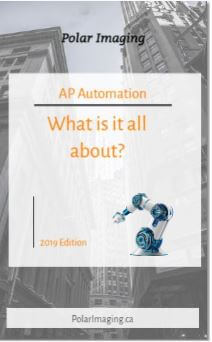
Everything you need to know!
Download our free eBook “AP Automation: What is it all about?” and learn everything there is to know about AP Automation. Don’t be left behind, download the eBook now!
Related reading
2022 Document Scanning Trends
With the new year now in sight, we wanted to take the time to analyze the document scanning market and go over some upcoming trends, in order to help you better prepare for a successful new year. It comes...
Outsourcing or scanning in-house? Which one is right for you?
So you’ve decided that going paperless is the right step forward for your business. Well you’ve just made one of the best decisions yet! Now you need to figure out if your staff can handle all of the scanning or if it makes more sense to outsource it all. How do you...
2020 Recap
Intro 2020 has been quite the roller coaster of a year. No one predicted a global pandemic coming upon us, yet we all came together and braced through it. While this year brought a lot of hardships for many people and businesses, there were also some positives that...